

This is my personal home page. And here is what it means.
This will be 3-part article series, to not throw too much information to you at once.
Why - inspiration, motive
How - What were steps I’ve taken, what are the biggest challanges and how I solved them.
How you can build your own.
Inspiration 1. Wednesday Addams.
Recently, I’ve read an article made by Mia Kiraki 🎭 and AI Meets Girlboss 🦩 about how to make your brand instantly recognizeable - which honestly, did hit me. I have tons of context files when coding for my client or for myself. I have quality guides, I have build workflows.
Yet, for visuals? I had this:
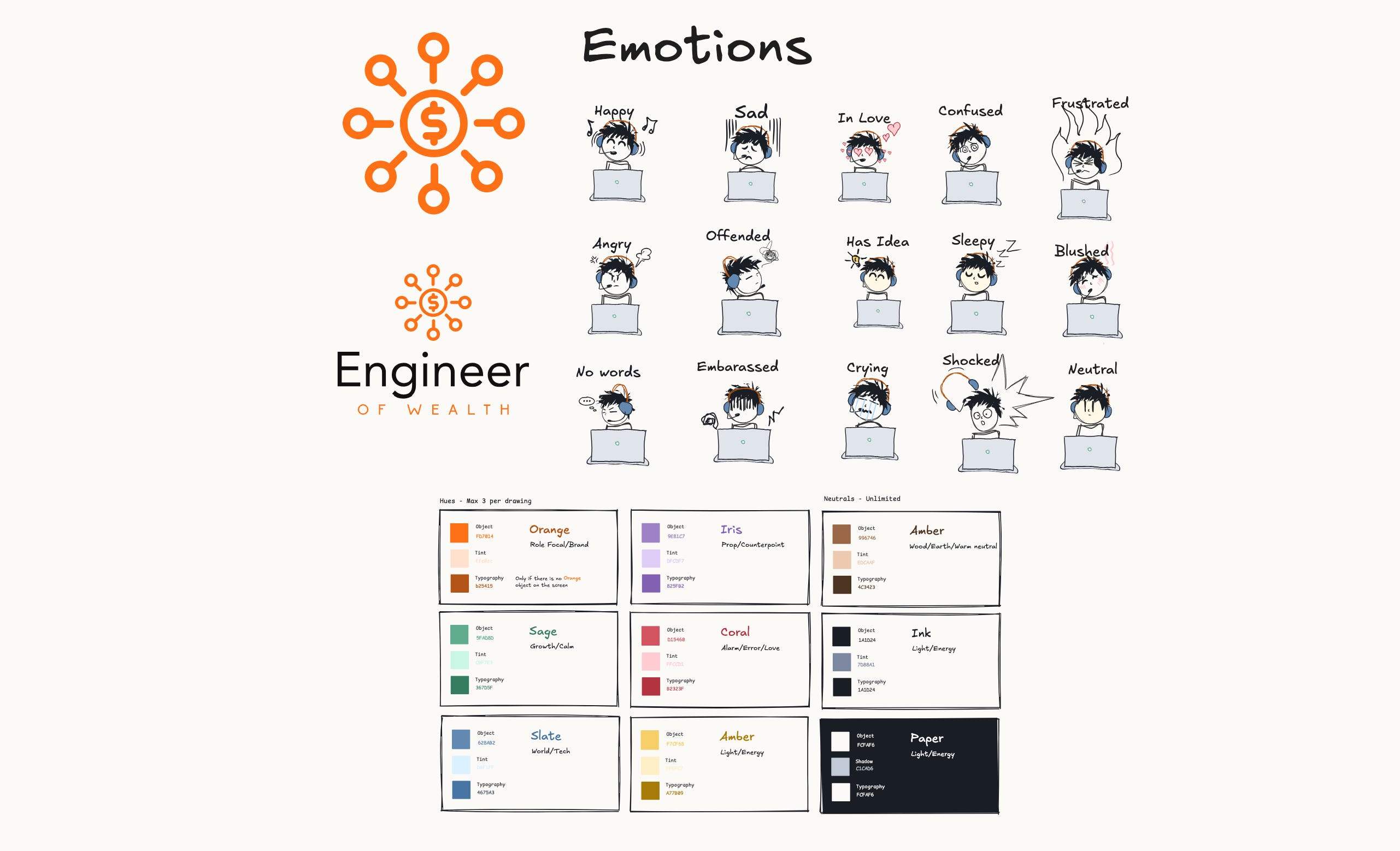
This impacted my thumbnails, diagrams, and everything I put into the articles. I hesitated to do anything more complex with my visuals. exactly because how image generators work. They redraw the image, adding little details, changing colours, slowly drifting towards whatever they have been trained for by default.
I though - yeah, let’s keep things simple and move on. So I did, having thumbnails like below.
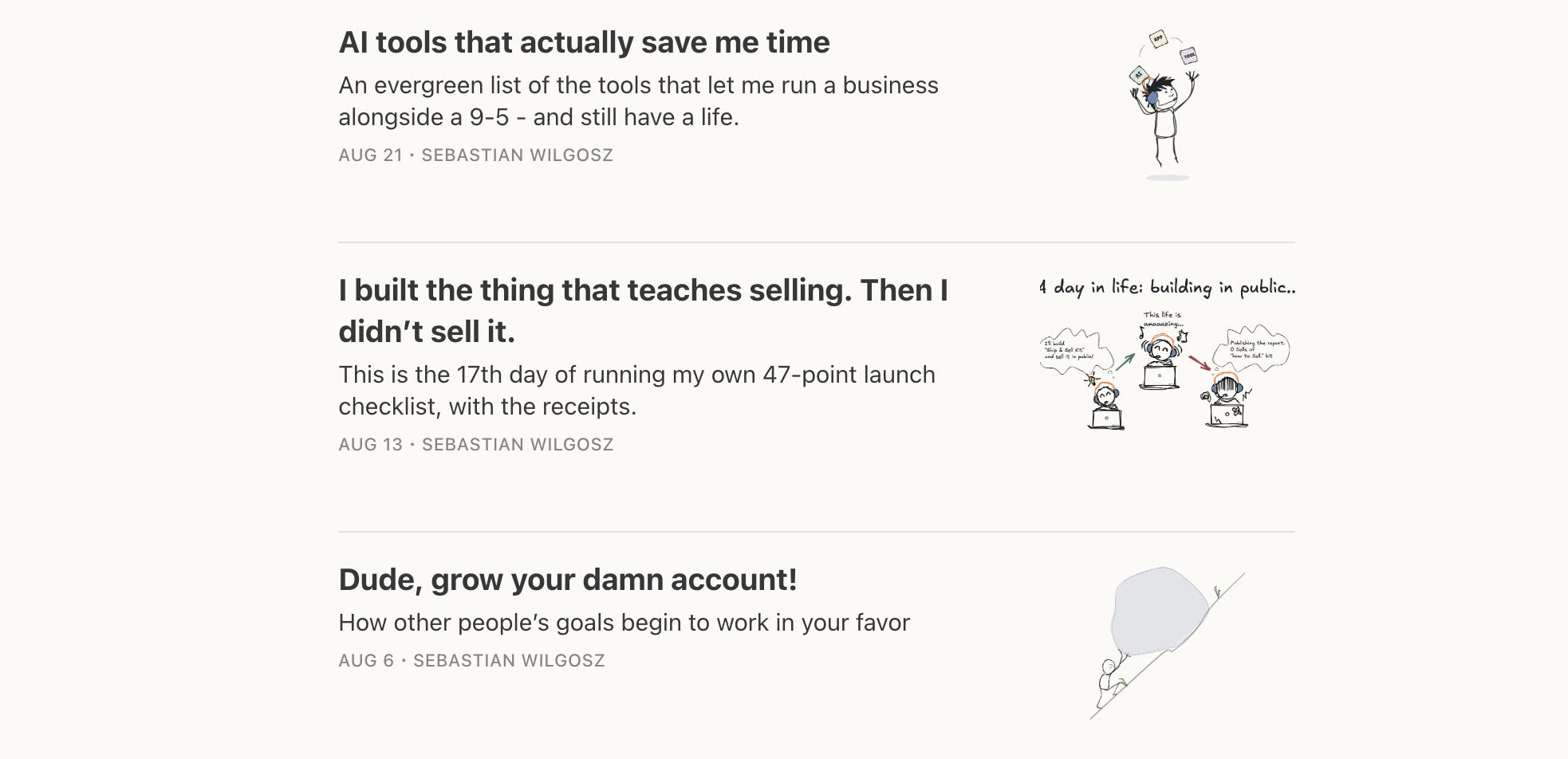
At the very least, I could say: “It’s instantly recognizeable”.
But after reading that article, I realized that I was just too lazy. And, that by investing some time into the brand specifications, I may achieve results that was concidered impossible for a person with a few free hours a week.
So I grabbed my coffee, headed back to Codex and Claude, and worked out the brand specs. It was not hard, really. I literally followed the checklist from Mia & Pinkie’s article I mentioned.
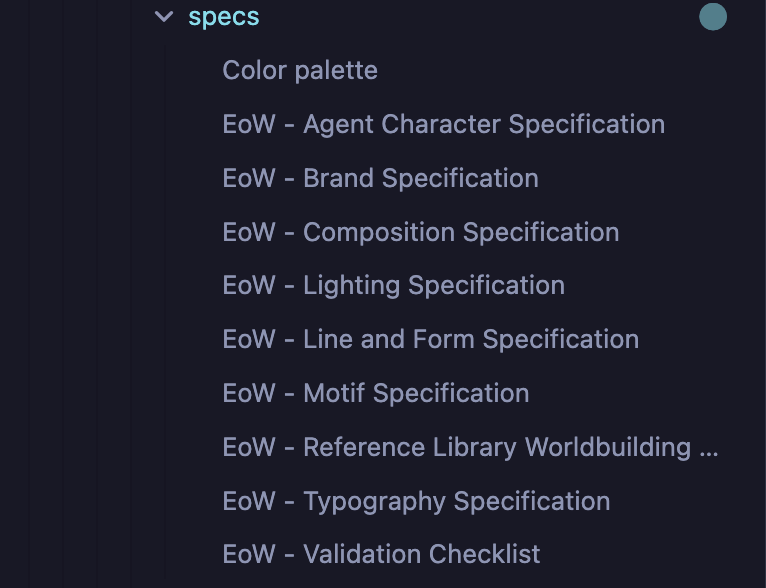
Since that point, I had much, much better results, which tickled my creativity every single day, pushing to do something amazing with new discoveries.
That was the first trigger.
Inspiration 2 Felix Rieseberg
A while ago I found a great website form the Felix Rieseberg - maintainer of Electron, that works for Claude currently. Built as a 3d scene, using tree.js library, It is really a fun to explore.
Feel free to play with this, as it’s extremely joyful!
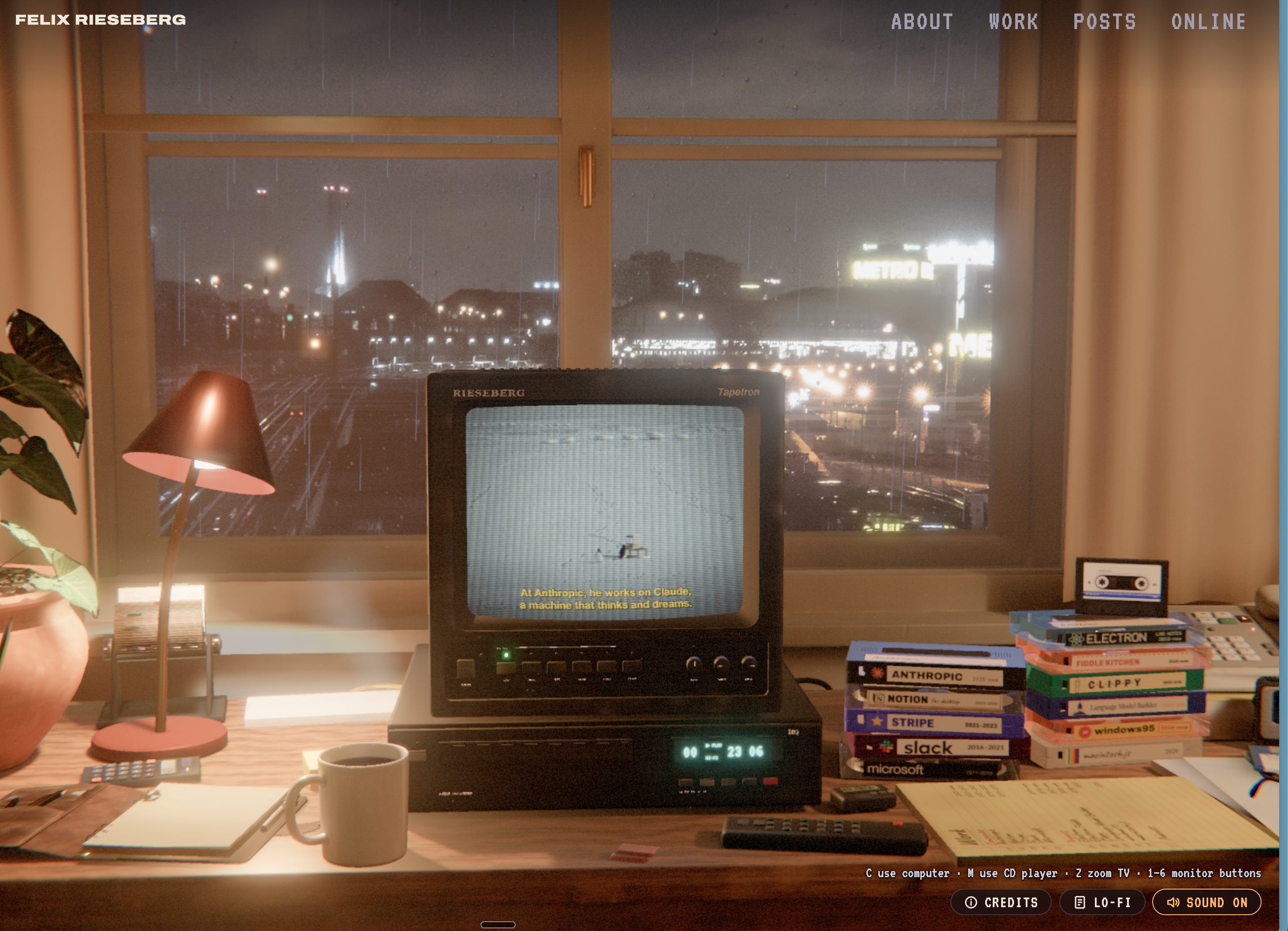
When I saw it for the first time, I thought: How cool is that? And immediately started to look for ways to apply some of these solutions in my own brand. It was a shy idea first, just working in the furthest part of my brain, in the background, waiting for the right moment.
I pushed it back, because this require precision. And generating precise images is a lot of work.
Inspiration 3
My daughter came to me and asked me: “Daddy, can we make a comics?”.
And that was too much.
I always wanted to make a comics. I’m a fan of “Donald’s Duck”, and my whole childhood was very much entangled to comics of all sorts. I read manga, and I already did shy approaches to comic-like story telling with my stickfigures.
So, I did it.
And the feedback is very similar to what I felt myself, when checking sources that inspired me! Even though my website is barely a draft yet.
So what did I build?
I’ve created a system, that allows to build precise images for visual story telling.
Not only the brand recognition.
Not only the overall consistency.
Precise and accurate image updates and variants creation.
Initially, I tried with a scene enrichment prompt, given simplified character concepts as a feed. Here are the results.
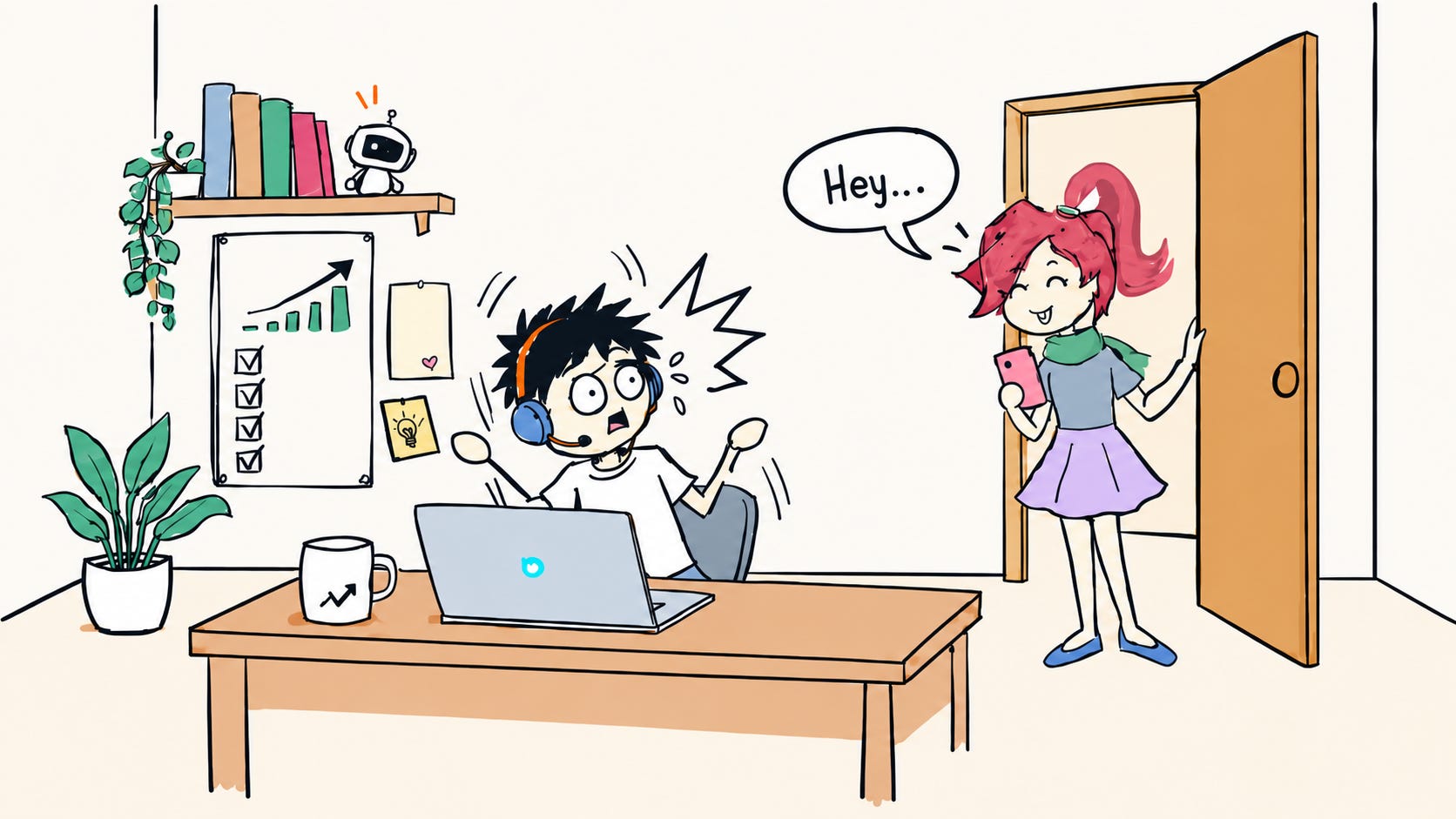
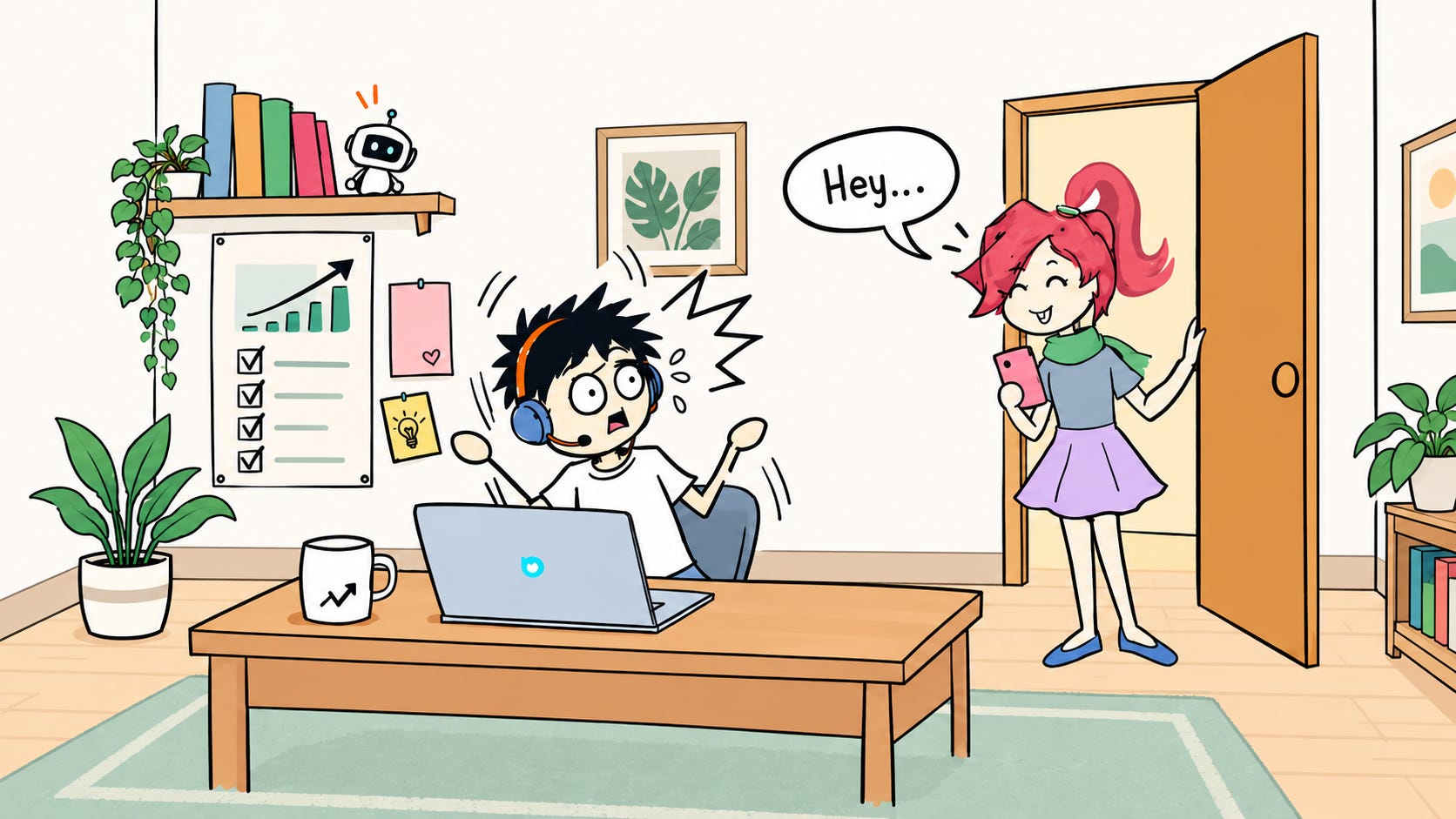
It was not too hard. A prompt fed into the generator, ended up with a random additions, but most of stuff in place. However,
I did not requested ALL of those details.
I explicitly requested to LEAVE COLORS INTACT.
If generator drifted in such a simple view, I knew I won’t ever be able to make comic stories with it. The more I’ll publish, the more it’ll drift. The more reference I’ll add, the more details will be wrong.
The more object it’ll need to redraw, the less accurate it’ll be.
So I built a comics factory.
I’ve created then a whole deterministic validator to auto-correct drifted image and keep every scene in the canon within my brand hard-rules error tresholds.
This resulted in precise image updates, and images never drifiting out of the base.
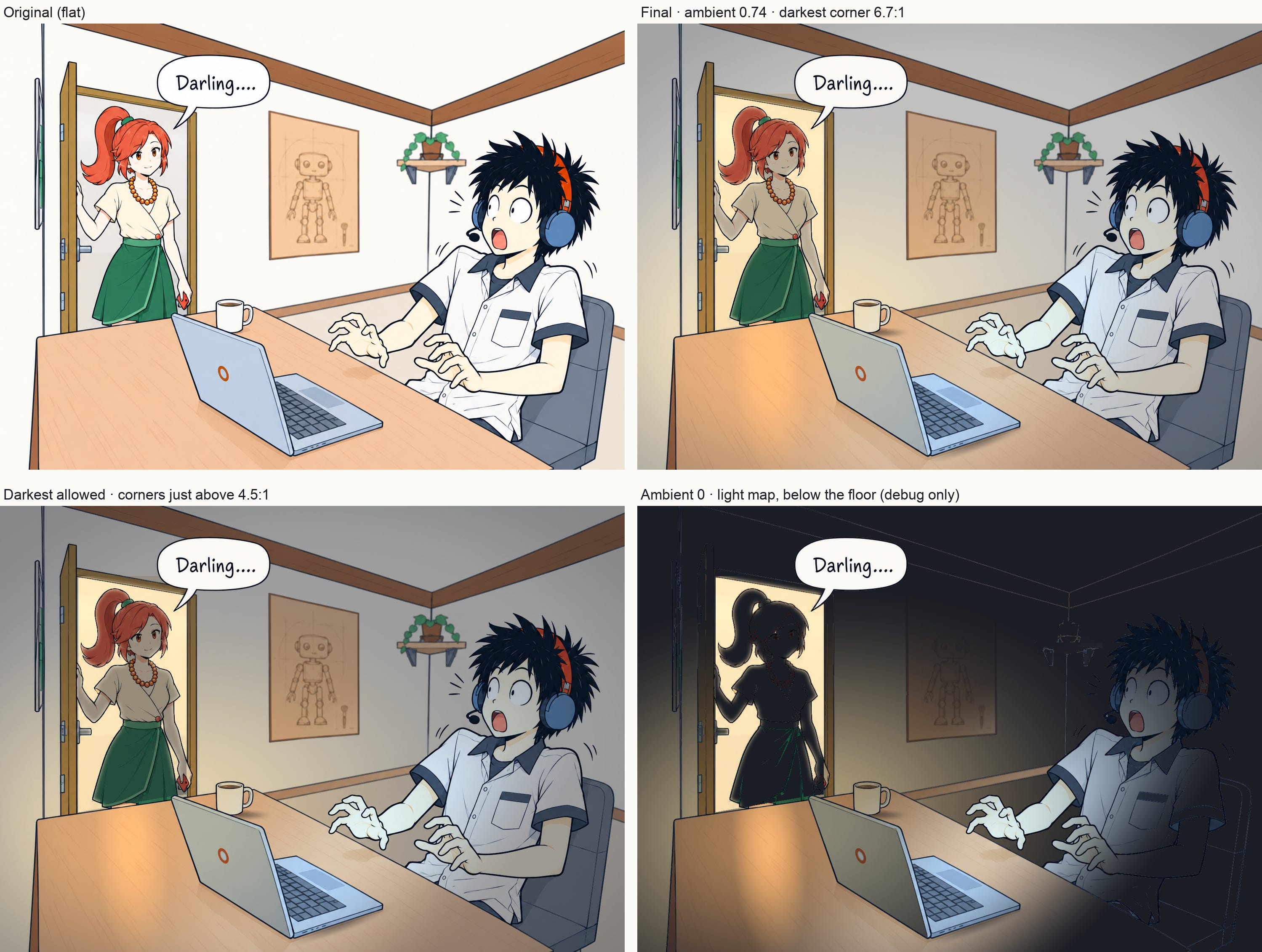
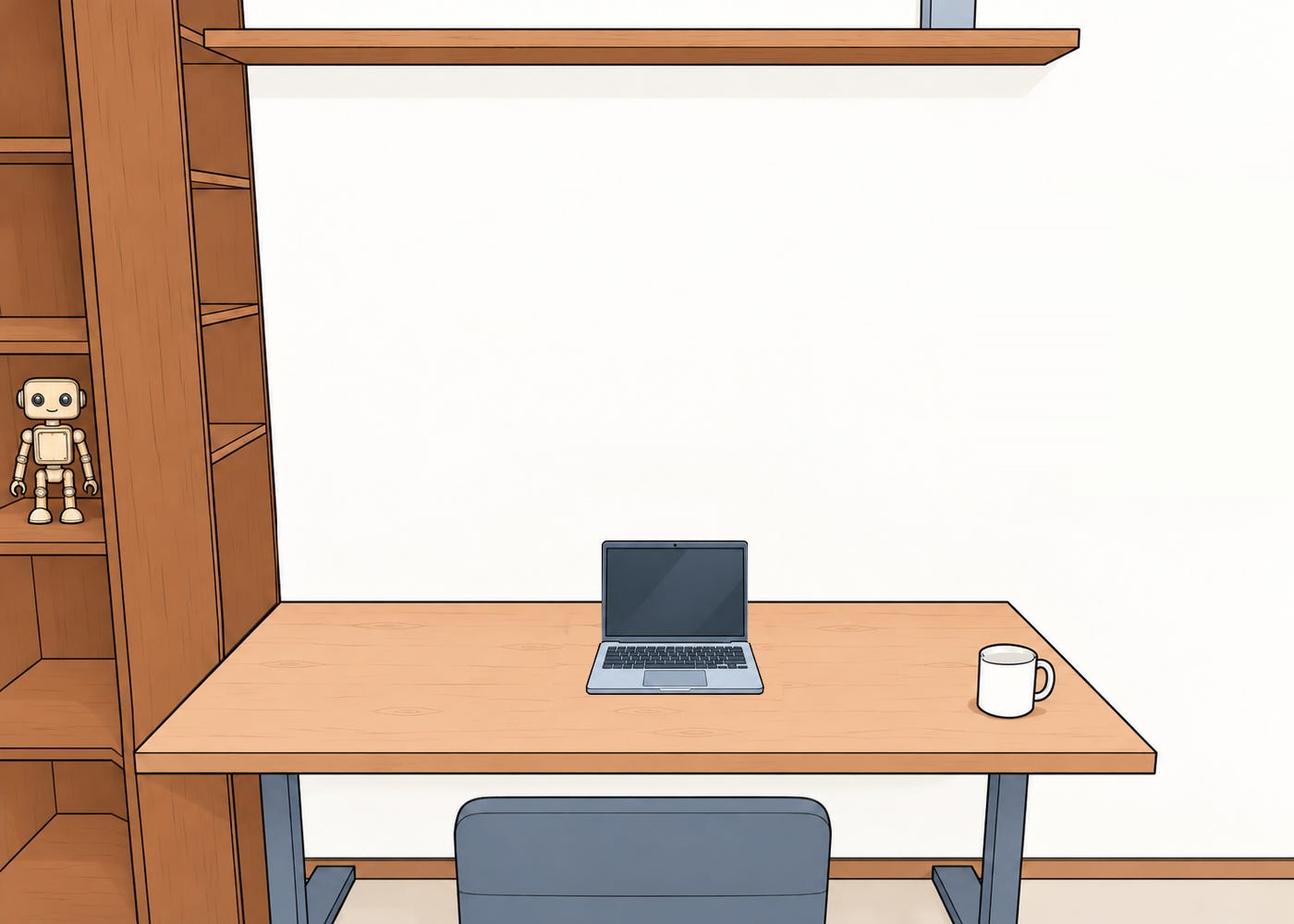
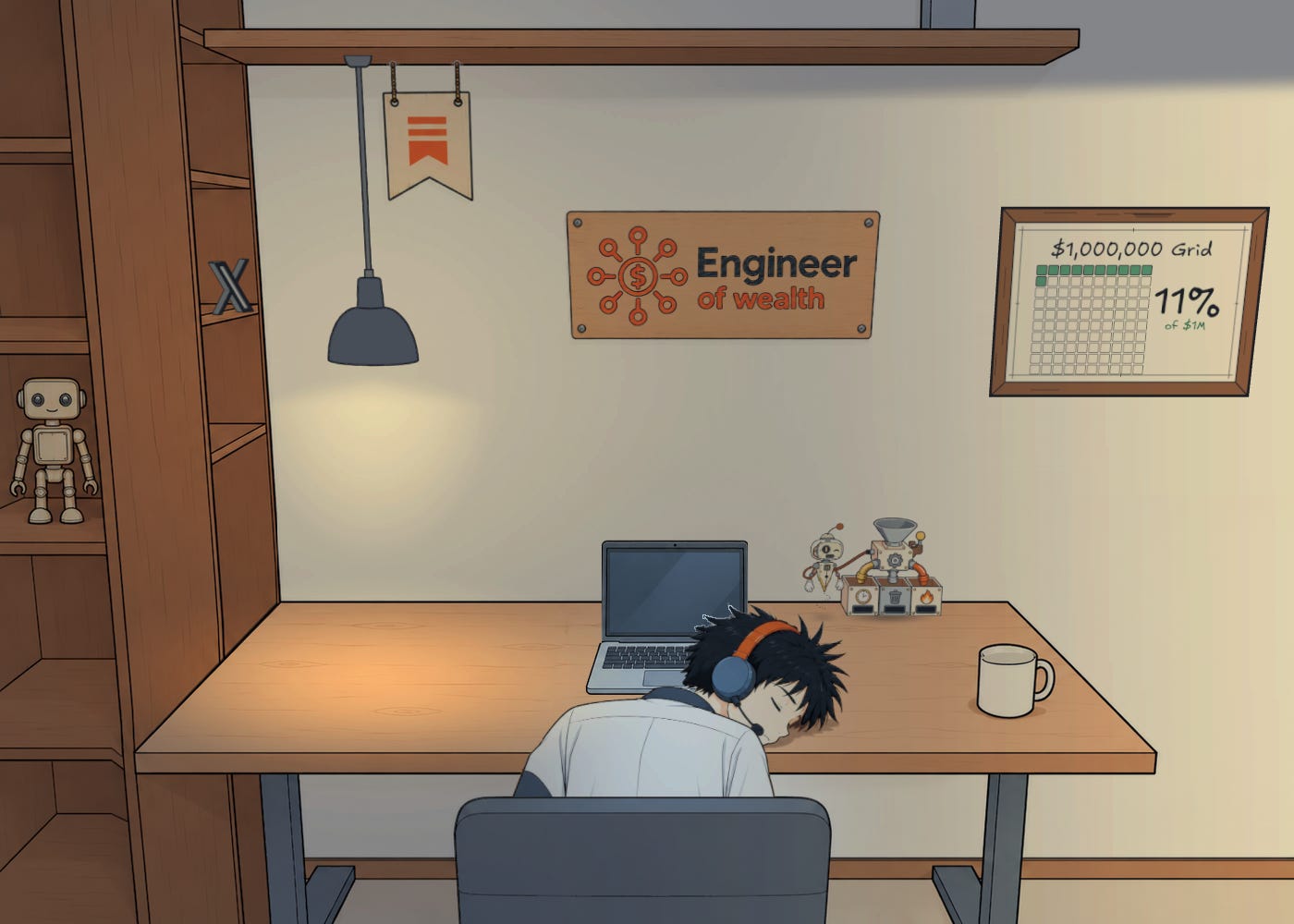
What you see above, is programatically manipulated light on the screen. The process, to create this scene was:
1. Prompt the generator feeding it with:
Brand & drawing style specs
Canonical character images references & context.
Empty location shot with no light applied.
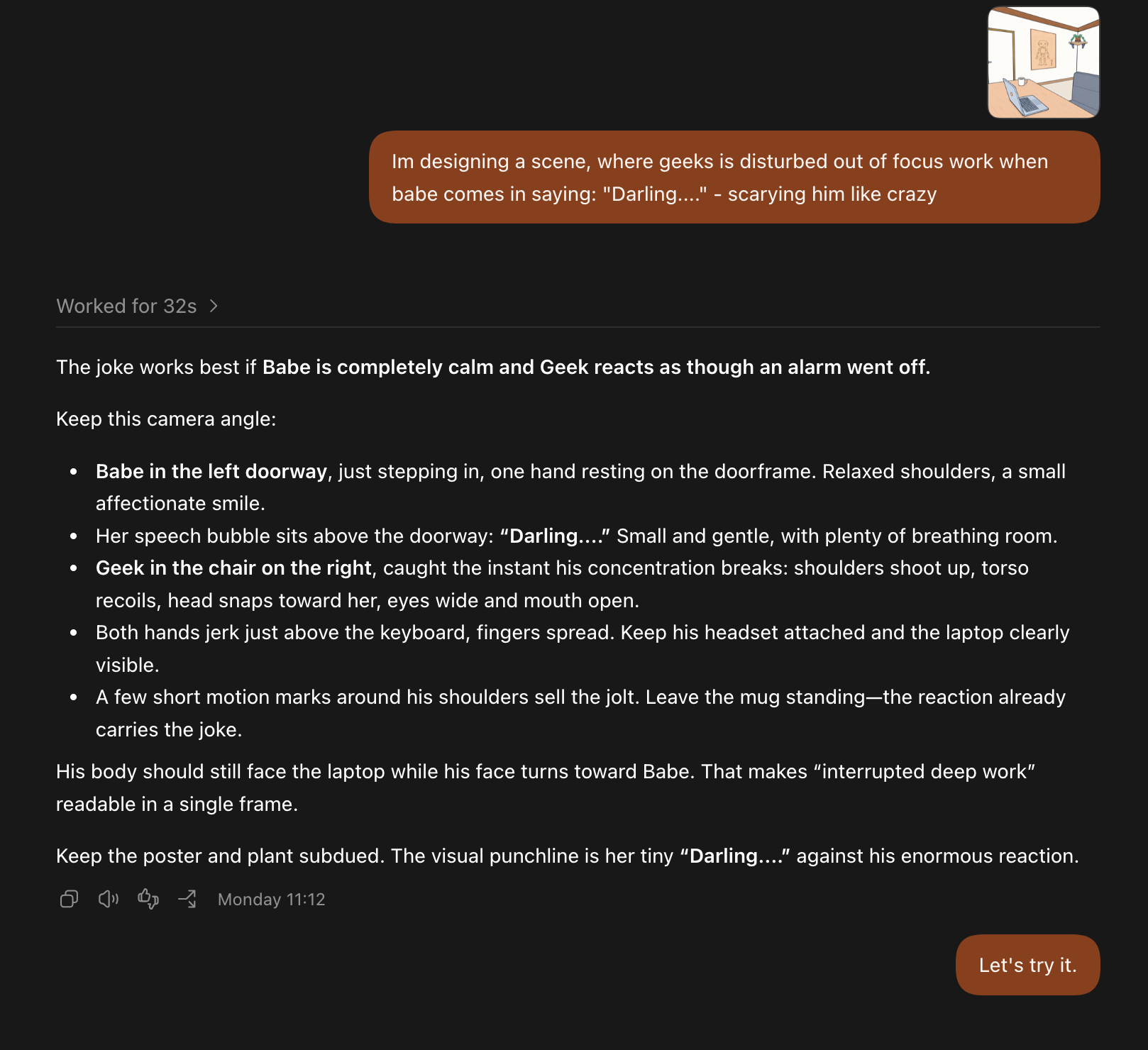
The scene definition - how characters act, highlighting to not touch the location. Here is the exact prompt I used:
Run the validator to detect how much the generator drifted
Programatically fix colors to match the agreed drift tresholds
Cut the characters and paste in the original location shot
Apply the intended light programatically.
Add scene to the canon
The results
I got empowered with a toolset that allows me to tell a story in a visual manner, with minimum effort required now.
1. Enriched thumbnails
Precise scene I can freely enrich to include my brand motives into the scene and generate thumbnails. Single sentence and including the motif spec file (chat already had this but I wanted it to focus on it).
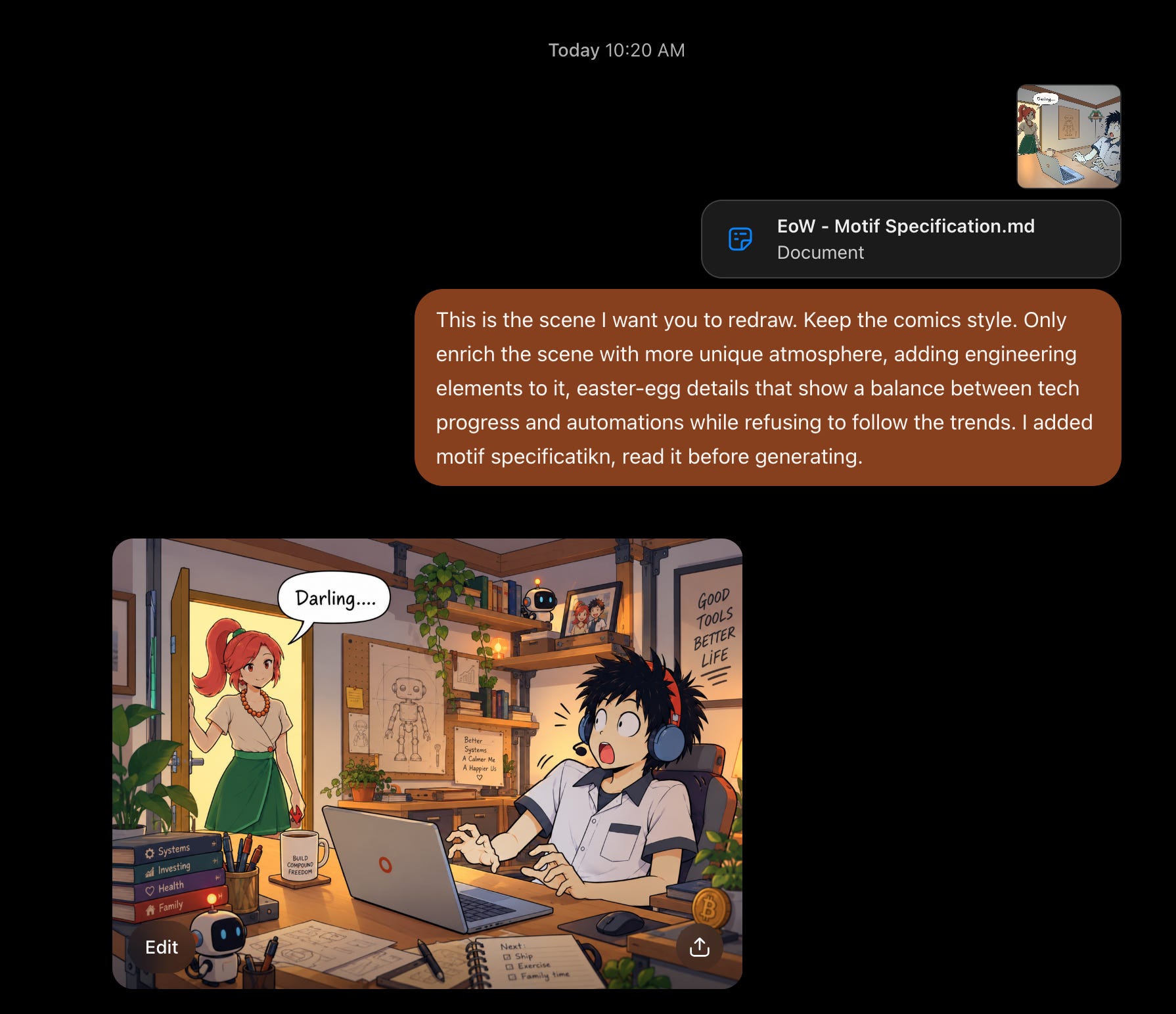
2. Complete Comics story pages.
I have now a way to easily create a comic pages, by just describing the story to visualise. Exactly the funny scene I imagined, but with precise drawings I would never be able to pull of.
And within my time constraints.
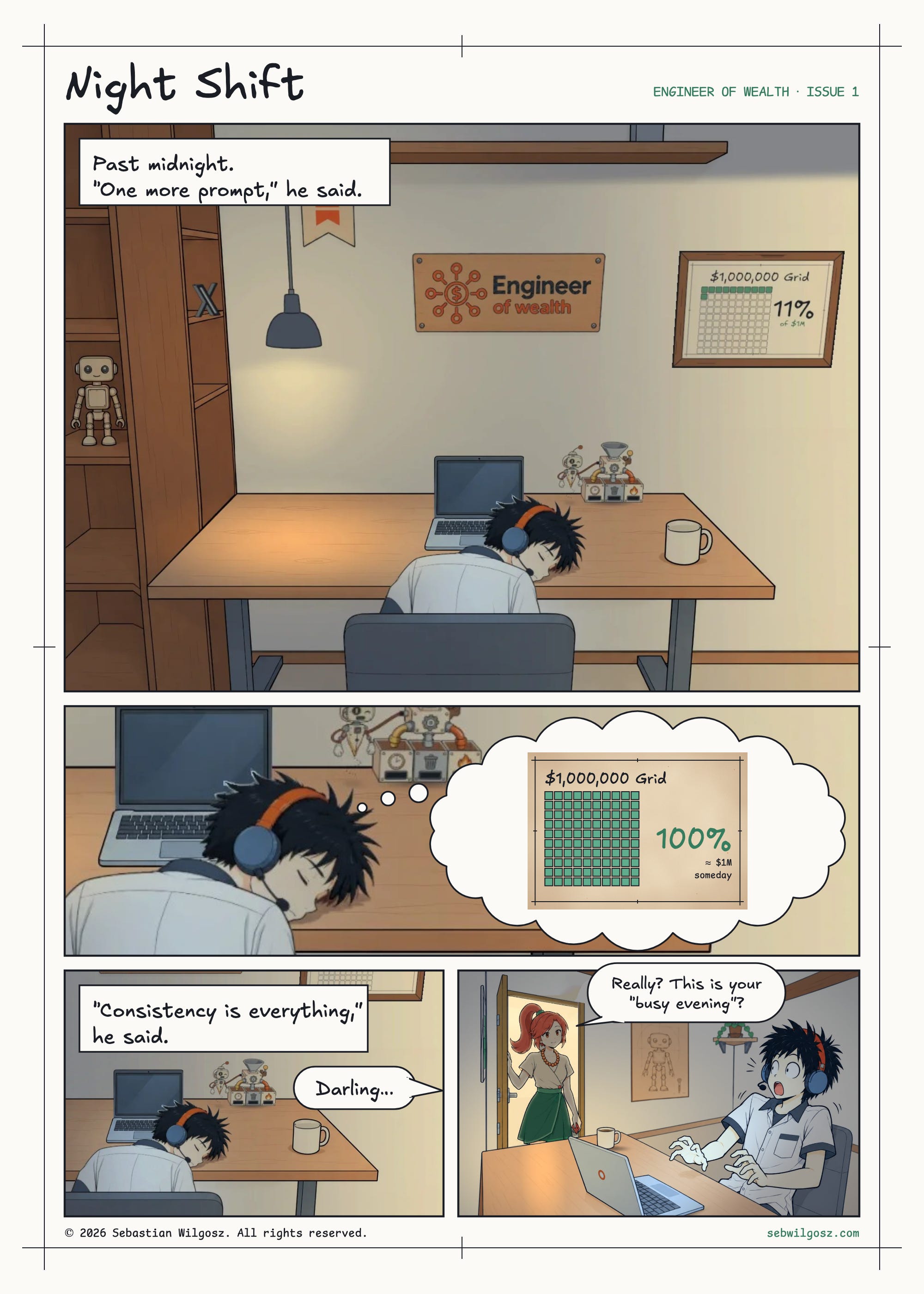
Those, I’m going to send to my subscribers under dedicated section of the newsletter.
3. Interactive website
As I’ve mentioned above, my website now can be a living place, that is filled in with interactive objects as my brand grows.
How (spoiler)
This article already is too long, so let me split it into a few. Subscribe to not miss it! For now, just to give you something if you want to build your interactive room:
You need drawing style specification, motifs, and everything above. I’ll just recommend you to read the article about Wednesday Addams I’ve linked earlier.
Then you need the empty location information, and precise shots. This is where chatGPT will make you pulling your heads out of your head, so don’t fight with it. Build 3d scene with claude where precise dimensions are saved in json file.
Build website with
three.js, add interactive objects and lighting and enjoy your effects!
Let me know what you’ve come up with!
@Mia Kiraki 🎭 & @𝐴𝐼 𝑀𝑒𝑒𝑡𝑠 𝐺𝑖𝑟𝑙𝑏𝑜𝑠𝑠 🦩 thanks for the inspiration!
@Katherine Lazarevich - my office works on mobile now too! ;)